How to setup a remote jupyter server
date posted: 2021-Oct-13, last edit date: 2026-Feb-02
Note: This is sufficient for a single user. For multiple users, you need to use jupyterhub.
Step 1: Create and secure a new server in the cloud. In my case I will be using DigitalOcean.
Step 2: Install jupyter (in a virtual environment).
# install pip
sudo apt install python3-pip python3-dev

# install virtualenv
sudo -H pip3 install --upgrade pip
sudo -H pip3 install virtualenv

# create a new folder
mkdir ~/jupyter
cd ~/jupyter

# create new virtual environment and activate
virtualenv jupyter_env
source jupyter_env/bin/activate

# install jupyter (plus pandas)
pip install jupyterlab pandas
Step 3: Setup jupyter.
# setup password
jupyter notebook password

# create a folder to hold notebooks
mkdir ~/notebooks

# generate config
jupyter notebook --generate-config

# enable SSL
cd ~/.jupyter
openssl req -x509 -nodes -days 365 -newkey rsa:2048 -keyout mykey.key -out mycert.pem # press enter to skip prompts


#####################################################################################
# edit / place the following lines in the generated "jupyter_notebook_config.py" file
#####################################################################################

# Type your username
my_username = u'YOUR_USERNAME' # replace here

# Replace 'your_username' with your actual username
c.NotebookApp.certfile = u'/home/{}/.jupyter/mycert.pem'.format(my_username)
c.NotebookApp.keyfile = u'/home/{}/.jupyter/mykey.key'.format(my_username)

# Allow remote connections
c.NotebookApp.ip = '*'

# Save Notebooks under your home folder.
# Replace 'your_username' with your actual username
c.NotebookApp.notebook_dir = '/home/{}/notebooks/'.format(my_username)

# Do not open browser when Jupyter Notebooks start
c.NotebookApp.open_browser = False

# It is a good idea to set a known, fixed port for server access
c.NotebookApp.port = 8888
Step 4: Open port and run server.
# allow access to jupyter port
sudo ufw allow 8888

# check that you are able to access the server
nohup jupyter lab &
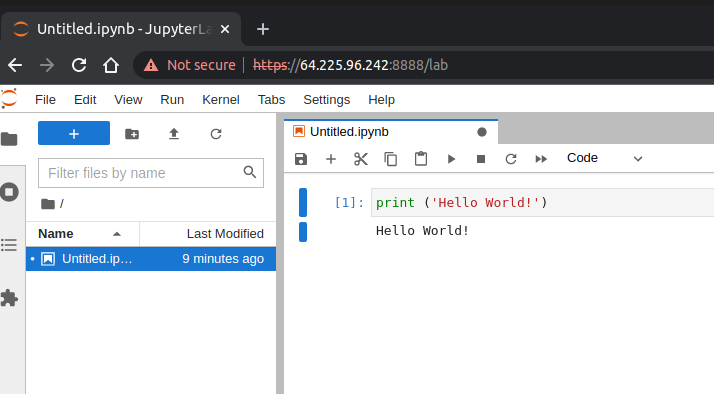
Final result:
References:
- How To Set Up Jupyter Notebook with Python 3 on Ubuntu 18.04.
- Remote jupyterlab without SSH and sudo.
- How to set up a remote Jupyter Notebook server on Ubuntu.
- Running a notebook server.
- How To Set Up a Firewall with UFW on Ubuntu 20.04.
- Running Jupyter Notebooks on a Ubuntu Server.